
Give your videos a hand-drawn aesthetic
With playful outlines, brush pen typography and quirky stop-motion, the "Chalk" AI Edit style adds warmth and style. It applies a hand-drawn aesthetic to any footage, making your content feel personal and professional, all at once.
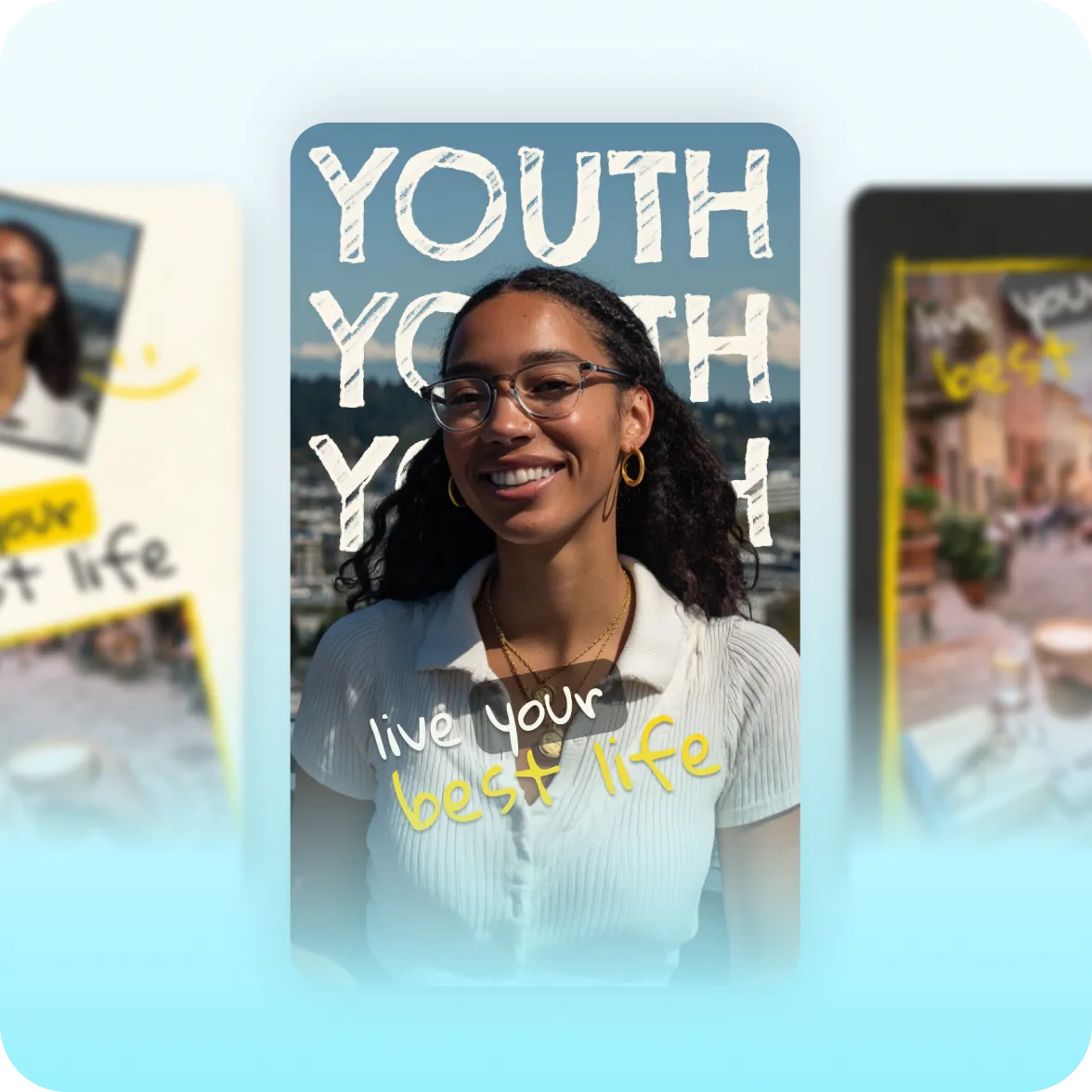
What it looks like:
Bold, playful details
Chalk adds playful outlines and layered text behind talking head footage. It also includes subtle flickers and motion effects that make your videos instantly stand out.
Handwritten cues
Brush pen and handwriting fonts animate in with a stop-motion quality that feels like watching someone write on a whiteboard. Glow transitions reinforce the handmade aesthetic.
Warm and personal
Signal warmth and approachability in every video. Chalk is best for educational content like school tutorials, mentorship advice and lifestyle tips.
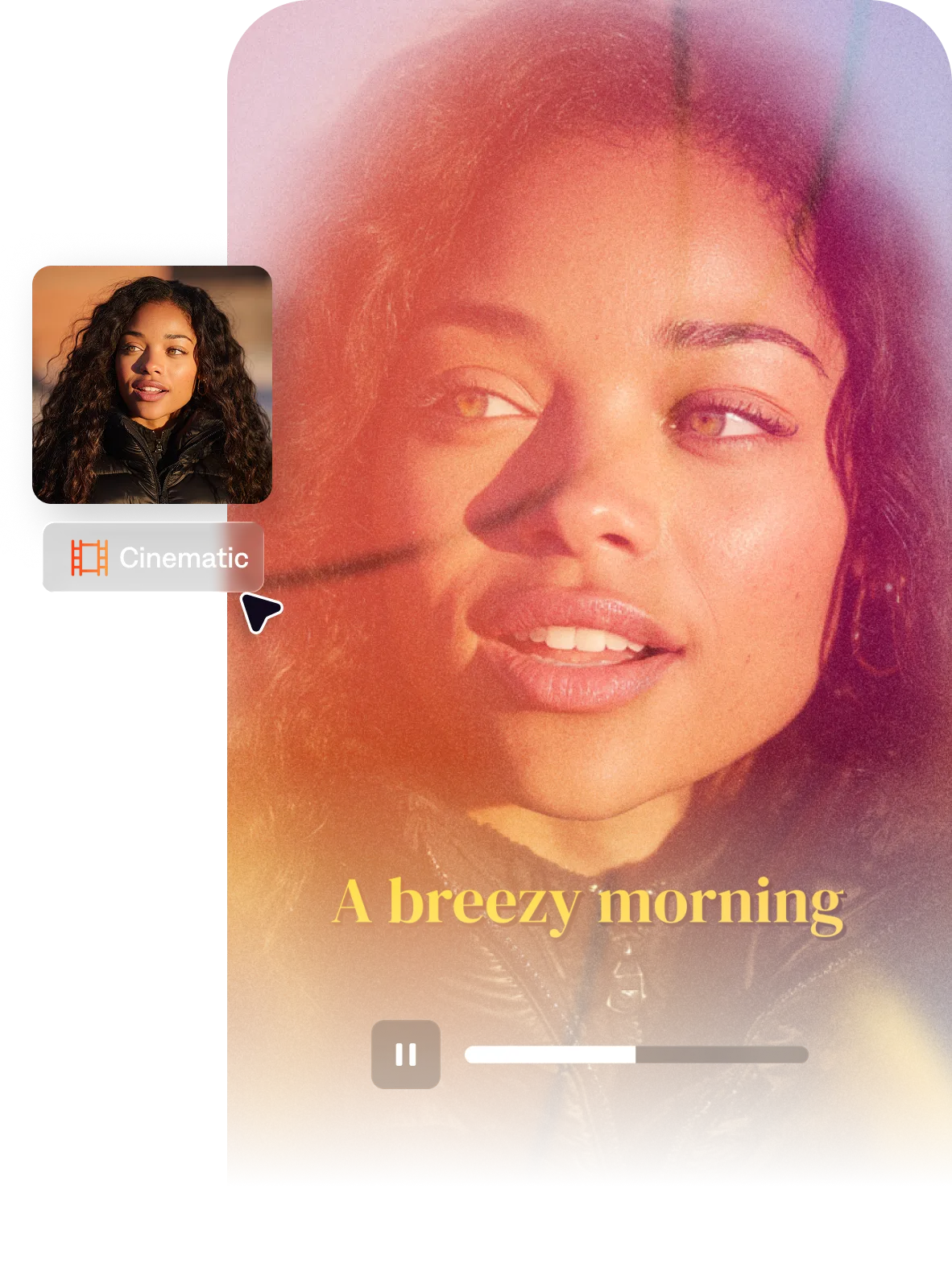
Import your video to start
By uploading a video to be edited using AI, you are agreeing to our Terms and have read our Privacy Policy.
Behind the Chalk aesthetic
Chalk is for people who want their videos to feel personal and accessible, rather than polished and clinical. It's a standout style in a sea of content that's either more formal, or more plain. We took inspiration from classroom chalkboards and hand-drawn doodles.
Popular with:
Start making better videos
Frequently asked questions
When should I use the Chalk style?
Use Chalk when approachability and warmth are important. Topics like tutorials, coaching videos, mentor content, and casual lifestyle vlogs often feel right with Chalk. It makes the content feel designed for the viewer, rather than overly produced. If your content is more academic or intellectually serious, Paper II's dark academia texture might communicates that better. For a similar handmade quality with more scrapbook and collage energy, Zine is the right fit.
What is the hand-drawn video aesthetic?
The hand-drawn video aesthetic is warm and illustrative. It uses details like doodle overlays and brush pen fonts to give video content a physical, illustrative quality. Often, it looks like graphic elements were drawn directly onto the footage by hand. This kind of style is closely associated with content where the creator-viewer relationship is central to the appeal.
How do creators add doodle and hand-drawn effects to videos?
In manual video editing, hand-drawn effects are added by importing motion graphics elements like doodle animations from stock graphic libraries. You bring that into your video editor and use keyframes to place them. You can also animate fonts to look hand-drawn using most professional video editing software.
If you'd prefer to be less hands-on, try the Chalk AI Edit style in Captions. It includes top style elements but uses AI to add them, so you don't have to worry about manual editing.
Does the hand-drawn style work for professional or business content?
It depends on the type of professional content. Coaching, mentorship, and education-focused business content benefit from the hand-drawn aesthetic because it makes information feel approachable and personal. For more formal corporate or B2B content, the hand-drawn look can work against the tone. A clean, minimal style is better for content that needs to signal institutional seriousness.